Quantity breaks
Buy 2 and save 10 percent: a percentage, an amount off, or a fixed price for the set, with an optional different variant for each item.
TreStack Bundles
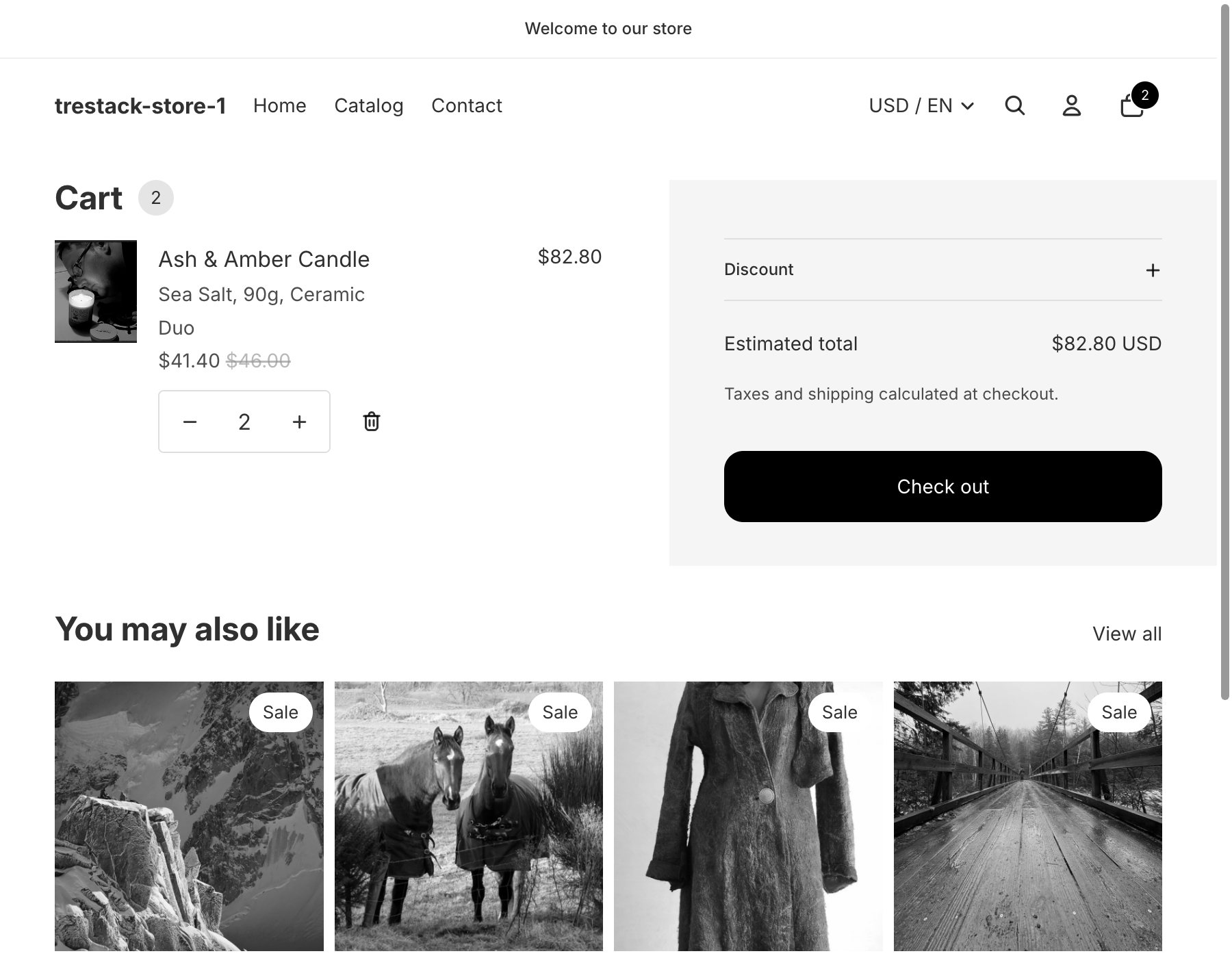
Shoppers pick an offer, choose their variants, and add everything to the cart in one click. A Shopify discount function applies the price at checkout, so the price on the widget is the price they pay. Nothing is written into your theme files. TreStack Bundles is coming to the Shopify App Store and cannot be installed yet.
Status
Coming to the Shopify App Store
Built and running, not listed yet. Plans start at $9.99 a month with a 14 day free trial, billed by Shopify. Every plan has every feature.
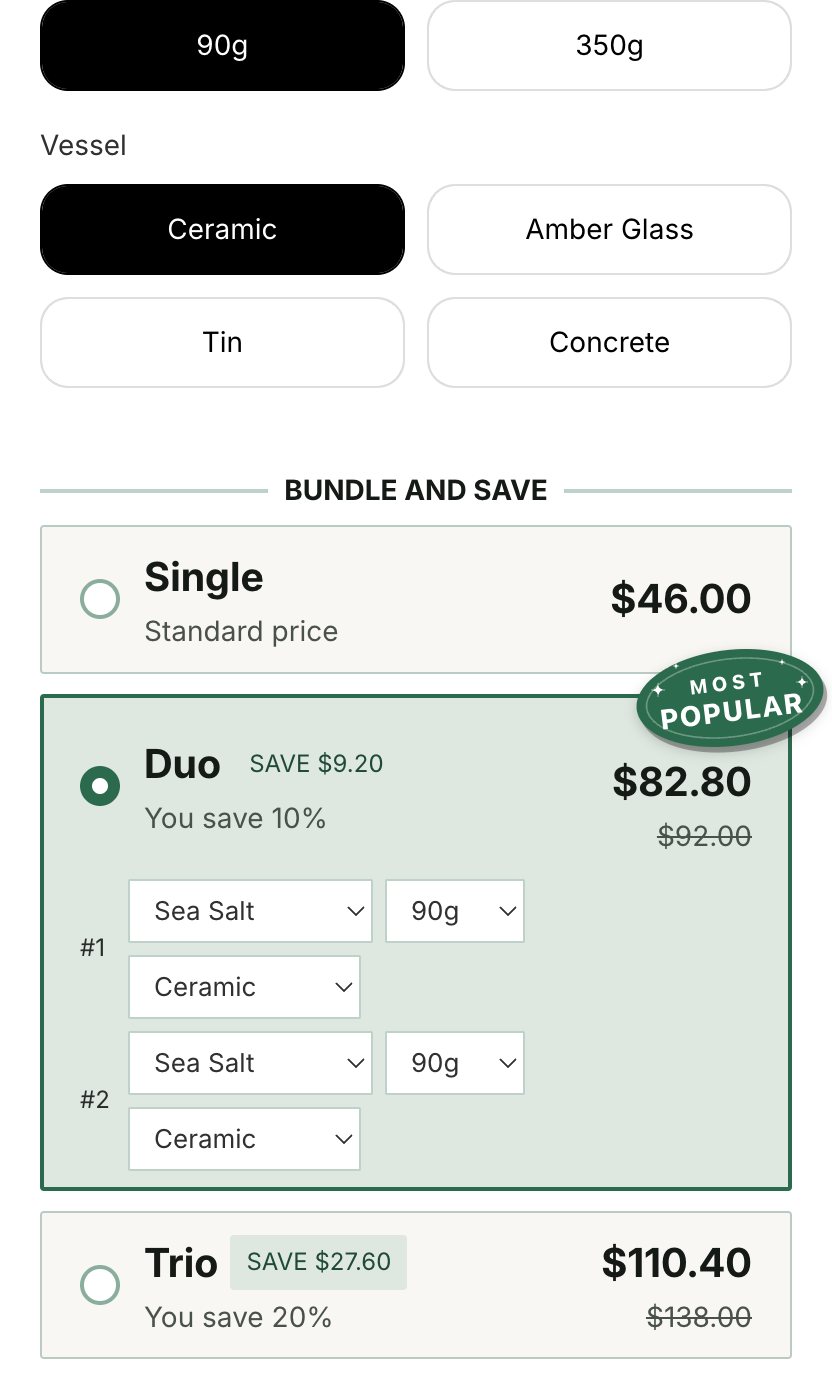
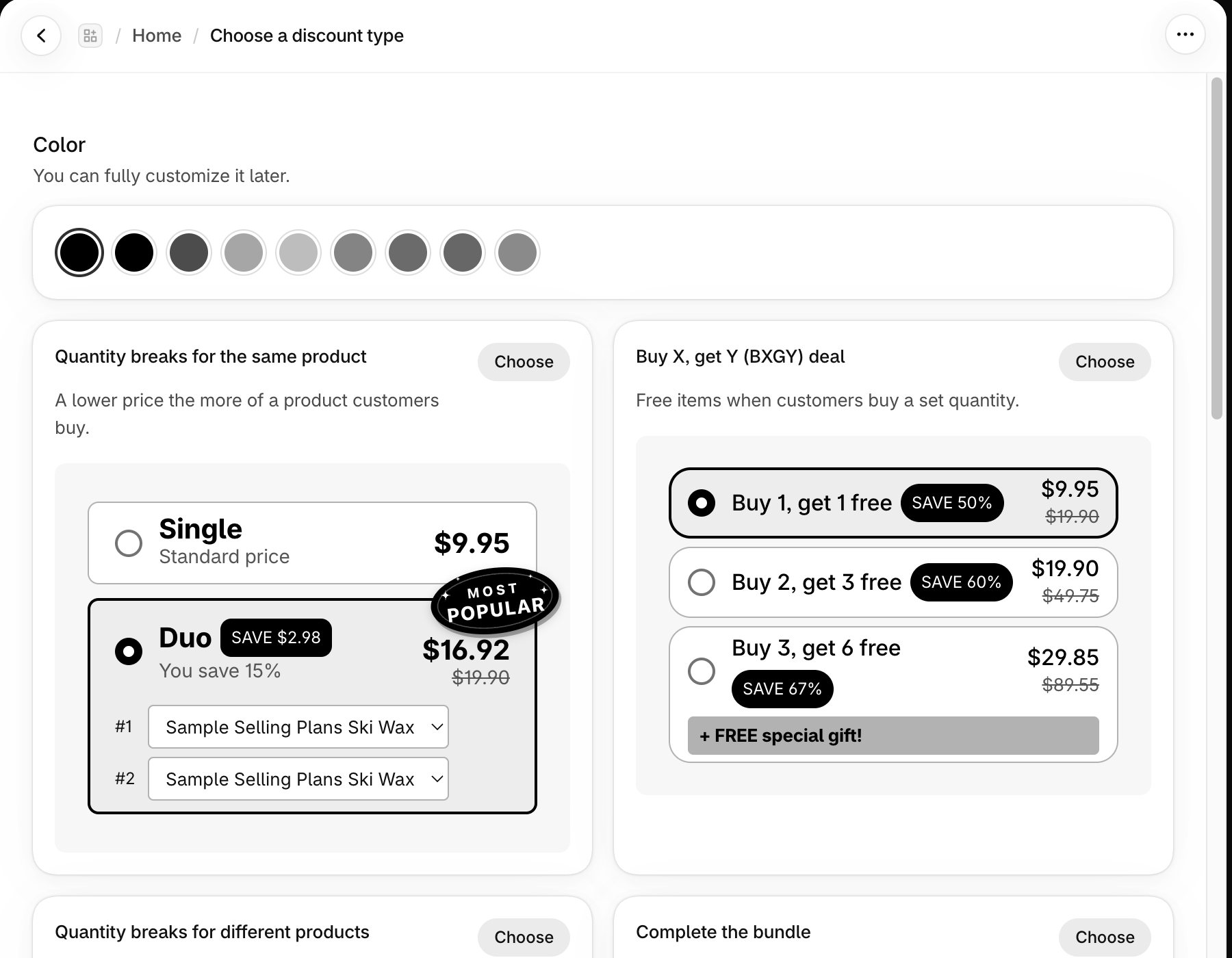
One deal can mix bar types, so a quantity break can sit next to a bundle with a free gift. Every type is in every plan.
Buy 2 and save 10 percent: a percentage, an amount off, or a fixed price for the set, with an optional different variant for each item.
The widget shows one deal per product, but at checkout every published deal runs its own discount, so give each product one deal. Deals can start and end on a date, be limited to markets or leave markets out, and skip Shopify B2B customers.
Editor
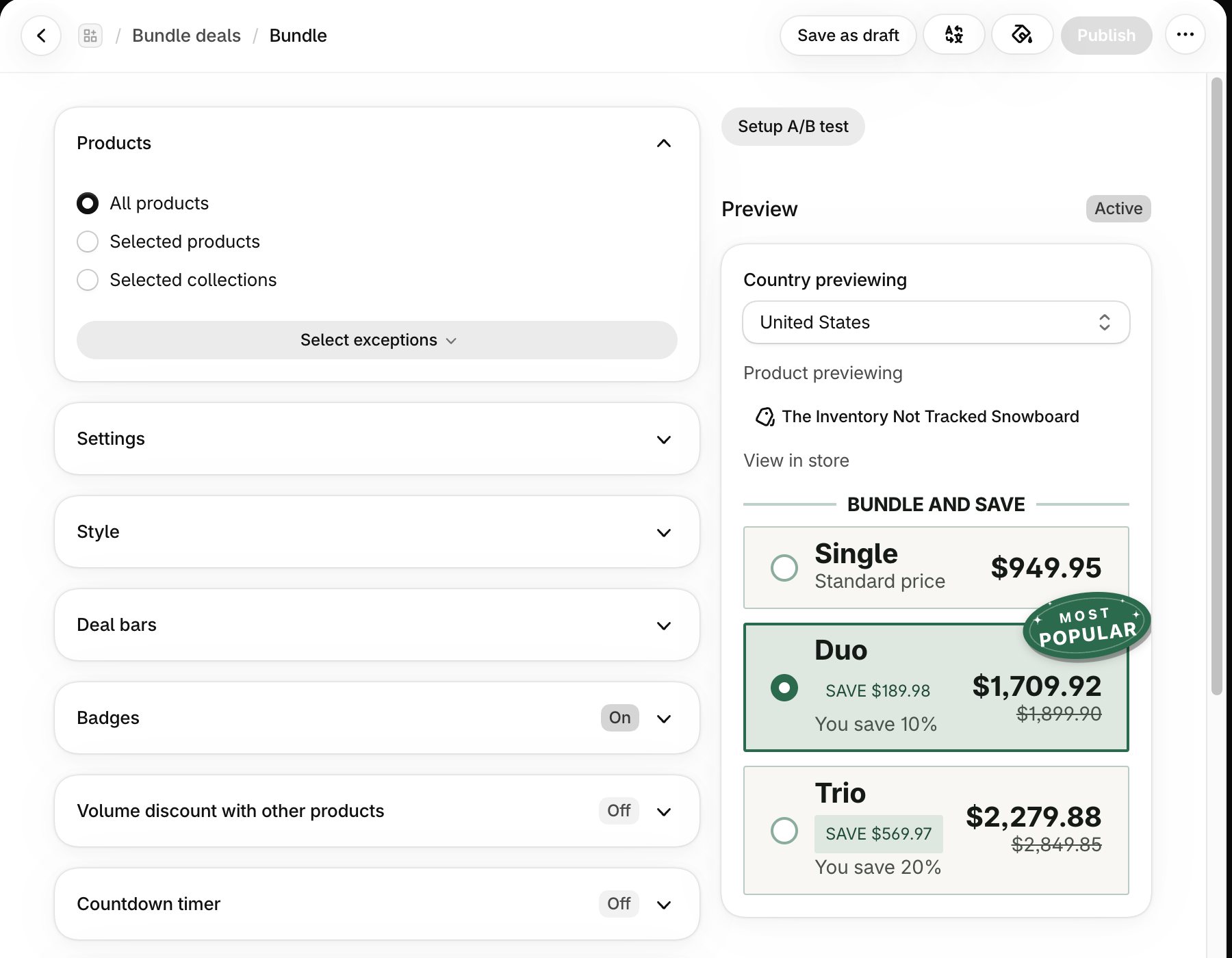
Choose the products, the bars, and the discount for each, then turn on what the deal needs: badges, a countdown timer, a scratch-off card, swatches, a sticky add to cart bar, a savings summary, upsells, or subscriptions. Layouts, colours, corner radius, spacing, and fonts are yours to set, from your theme's own fonts. Brand colours are read from your theme and can be scanned again, and every deal that uses them follows a change.
The preview in the editor shows unsaved changes; View in store opens the live product page, which shows published deals only. A published deal usually reaches the storefront within a minute.
Tests, numbers, languages
The widget is a Shopify app embed and the price is a Shopify discount function, which runs at checkout from the cart, Shop Pay, and express checkout. Buy it now is hidden unless an offer is one plain line of the page's variant, so those go through the cart. Uninstall the app and the widget and the discounts stop at once, because nothing was written into your theme files. Unlisted products the app created for personalisation fees and mix and match stay in your product list to archive.
Step one
Home links straight to the right place in the theme editor and shows when the store widget is enabled. The widget places itself above the Add to cart button.
Step two
Choose the products, set the bars and discounts, and check the preview.
Step three
For a custom position on an Online Store 2.0 theme, add the Bundle deal app block instead.
JavaScript, gzipped
About 54 KB
On a product page with a deal in today's build, loaded after the page has been read. About 10.5 KB of it loads on every page with the embed on.
Largest paint, blocking
No measurable change
In the one test described below, to Largest Contentful Paint and Total Blocking Time.
Taps
16 ms or less
To handle a tap on an offer or a swatch.
Layout shift
0.038
The widget appears after the first paint, and the page moves by that much.
One measurement on one theme: a product page of a test store on Shopify's Horizon theme, in Chrome with a mobile profile (CPU slowed four times, slow 4G, cold cache), taken on 2026-10-10 on a build of about 51 KB. The layout shift comes from the widget appearing after the first paint. It is not a promise for every store, so compare before and after on your own.
Every plan has every deal type and every feature. Plans differ only in the added revenue they cover every 30 days.
| Plan | Monthly | Yearly, per month | Billed yearly | Added revenue covered every 30 days | Yearly overage |
|---|---|---|---|---|---|
| Starter | $9.99 | $7.99 | $95.88 | $1,000 | $0.49 per started $100 over |
| Growth | $19.99 | $15.99 | $191.88 | $5,000 | $0.42 per started $100 over |
| Pro | $49.99 | $39.99 | $479.88 | $20,000 | $0.28 per started $100 over |
| Unlimited | $129 | $103 | $1,236 | No limit | None |
Before it lands
How the price reaches checkout, what counts as added revenue, what the app stores, and what happens when you uninstall.
Read the TreStack Bundles FAQSupport
Write to support@trestack.app, or use the live chat inside the app admin. Both are in every plan.
Getting started