Why an update breaks some apps and not others
App blocks live in the app, not in your theme. Installing a new version of your theme leaves every block definition intact, but not the placements: where a block sits is stored in the JSON template files of the theme you placed it in, and a new theme version ships new template files.
Anything an older app wrote directly into a Liquid file is a different story. That file has been replaced, so the edit is gone. The work ahead of you is therefore not reinstalling apps. It is putting blocks back where they were, and finding the snippets nobody remembers adding.
Find the hard coded snippets first
Open the code editor on your current theme and search layout/theme.liquid for the word script. Anything in the head that names an app you recognise was hand added and will not carry across. Note it, then check whether that app offers a theme app extension now. Most do, and the upgrade is a good moment to switch.
Look for leftovers from apps you removed as well. Uninstalling an app that edited theme files does not undo the edit. A store that has been trading for three years usually carries two or three dead script tags that still cost real milliseconds on every page.
Do the placement work on an unpublished theme
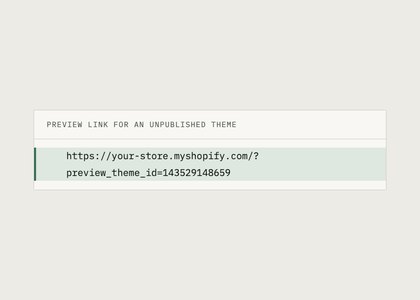
Add the new theme version to your theme library and leave it unpublished. The theme editor works on unpublished themes and app blocks are available there, so you can rebuild every placement while the live store carries on as normal. The preview link is shareable, so whoever normally approves the product page can look at it before anything goes live.
Go template by template rather than app by app: product, collection, cart, index, then any custom templates you have. For each one, open the old theme in a second tab and match the blocks and their order. Settings inside a block are stored per placement, so anything you set in the theme editor has to be set again. Rules kept in the app itself, such as a timer's end date or its targeting, stay where they were, but check the app embeds are switched on in the new theme.
Publish, then check the four things that usually move
After publishing, look at the product page above the fold on a phone, the cart, any page where a bundle or discount price is calculated, and one page you rarely touch such as a policy page. The last one catches blocks that were added to the theme footer rather than to a template.
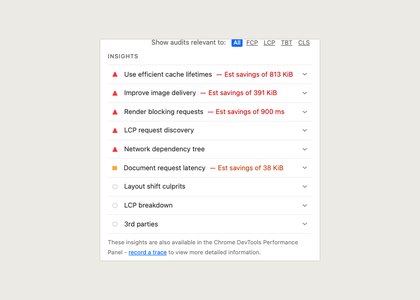
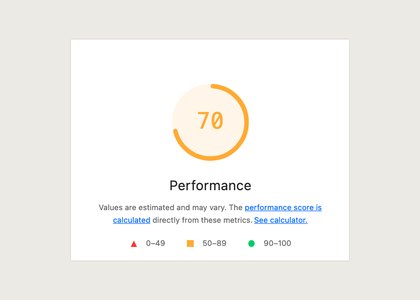
Re-run Lighthouse on the same page you measured before the change. A newer theme version is usually faster than the one it replaced, so if your number went the other way, something has been placed higher up than it used to be.
Keep the old theme in the library for a fortnight. Rolling back is one publish, and knowing that makes the day of the change considerably less tense.
If you use a page builder
Page builder templates are the common surprise in a theme upgrade. A page built with PageFly, Shogun or GemPages is stored by that app rather than by your theme, so the page itself survives, but the template assignment and any theme sections around it may not. Check every builder page after the switch and reassign templates where a product or landing page has fallen back to the default.
App blocks placed inside a builder page behave like blocks placed in a theme section, but they are configured in the builder rather than in the theme editor. Write that down before you start, because hunting for a countdown bar in the theme editor when it was placed in a builder page costs an afternoon.
Something on this page no longer true, or a measurement that disagrees with it? Tell us and we will correct it.