Integrations

Works with the tools your store already uses.

TreStack Timer, Bundles and Checkout run on Shopify's own parts, and read what your other apps already saved in Shopify. There is no account to connect and no API key to paste.

What each app works with

Pick a name to read what the app does with it, which plan it needs, and where the docs are.

The parts of Shopify they run on

Each app uses the place Shopify made for that job, so it works on your theme and your checkout without code, and you switch it on or off in Shopify's own editors.

Theme editor Timer, Bundles
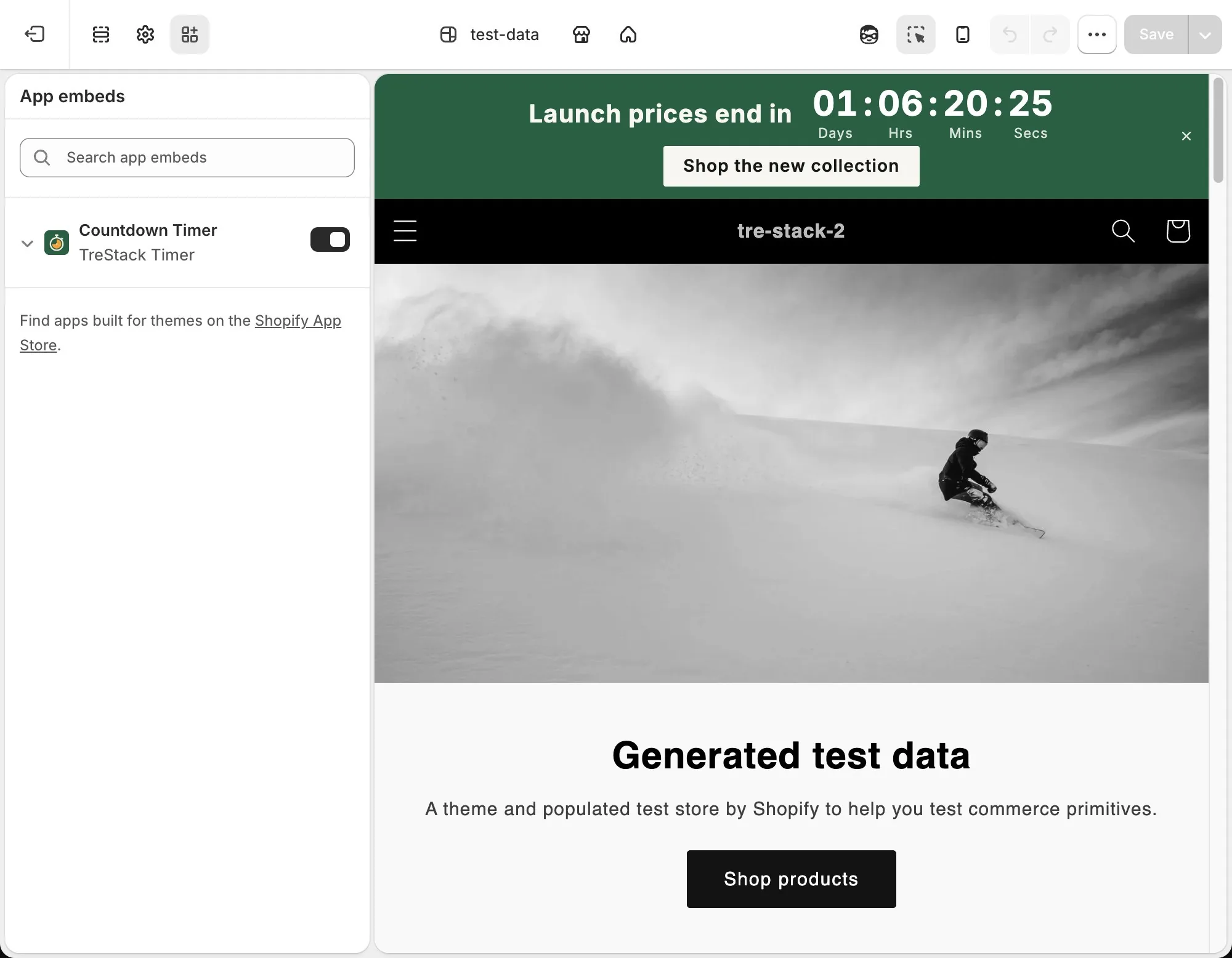
Timer and Bundles each switch on as an app embed, which works on every theme. An app block puts a timer or a deal in a section you choose, on themes whose sections take app blocks (Online Store 2.0). Neither app edits your theme files. How install worksMove the Bundles widget
Checkout editor Checkout
Checkout's 24 blocks go in Shopify's checkout editor, wherever Shopify allows a block. Blocks on the thank you and order status pages run on every Shopify plan; blocks on the checkout steps need Shopify Plus. Nothing is added to your theme. Checkout blocks
Shopify Functions Bundles, Checkout
Bundles works out each deal's price in a function that runs inside Shopify's checkout. Checkout's payment, shipping and order validation rules run as functions too, on every plan, with nothing to place in the editor. Checkout rules
Shopify Markets Bundles
A deal runs in every market or in one, and can leave markets out. Shopify holds the discount to those markets and the widget hides the deal outside them. A deal set to one market can be priced in that market's currency. Show a deal in one market
Shop Pay and express checkout Bundles
Deal prices hold from the cart through checkout, Shop Pay and express checkout. When an offer is more than one plain line, such as a bundle or a gift, Buy it now is hidden so the order goes through the cart.
Shopify B2B Bundles, Checkout
With Exclude B2B customers on, Shopify B2B buyers see neither a deal nor its discount; B2B apps from other developers are not supported. Checkout's blocks can show or hide for B2B customers.
Shopify Search & Discovery Checkout
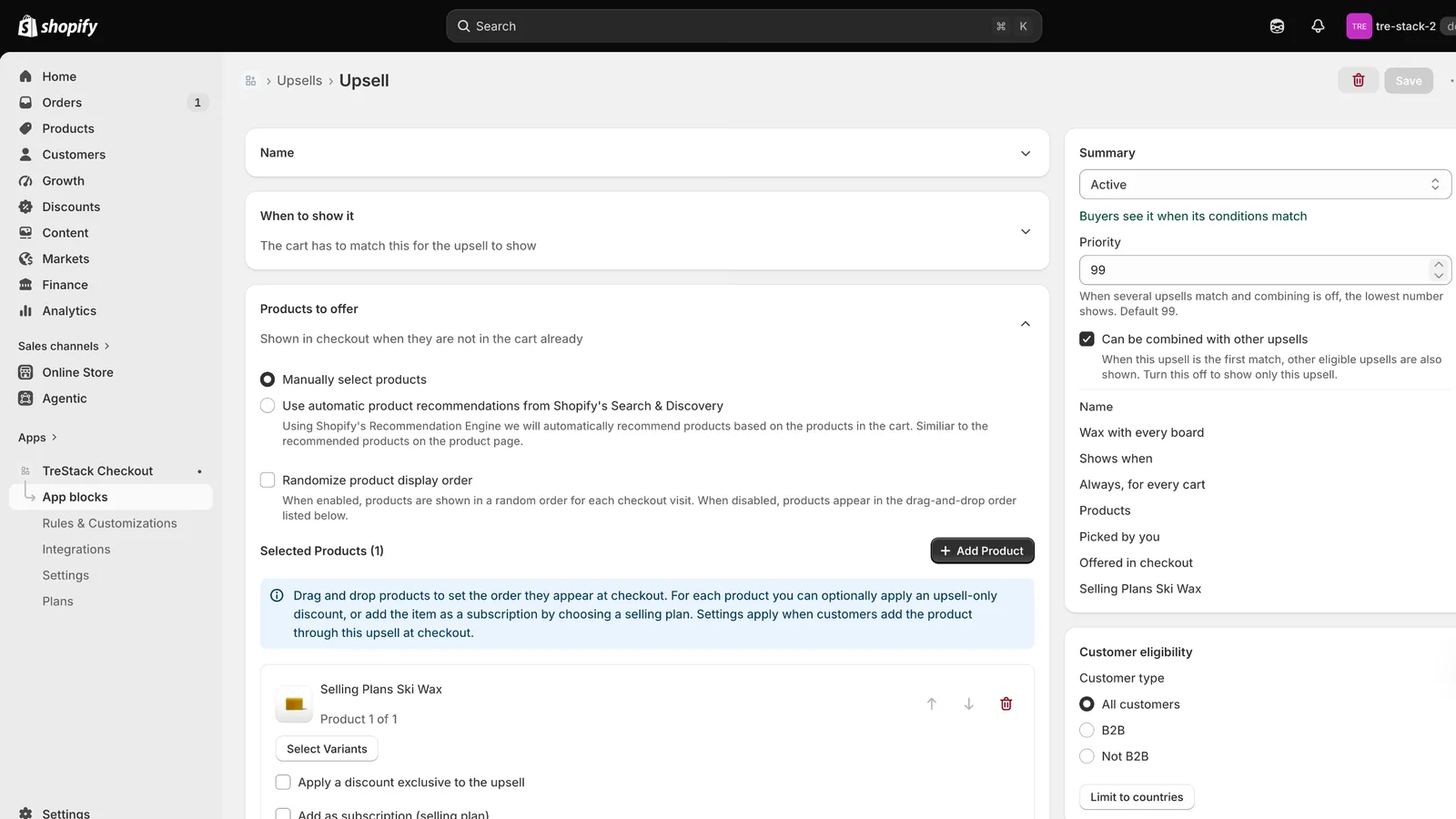
A checkout upsell can offer its Related or Complementary recommendations instead of products you pick by hand. Products already in the cart are never offered. Upsells and gifts
Checkout branding Checkout
Colors, corners, fonts, header and buttons save to Shopify's own checkout branding settings, so they apply to the whole checkout. Pro, on Shopify Plus. Checkout branding
The Shopify theme editor in grayscale, with the TreStack Timer app embed switched on under App embeds and the green countdown bar showing in the store preview

The apps and tools you already run

TreStack Checkout

Judge.meOkendo

Judge.me and Okendo

Upsell cards in checkout show each offered product's star rating and review count. Both apps save ratings to Shopify's standard product rating fields, and TreStack Checkout reads them from there.

Turn your reviews app on under Integrations in the app, then pick it as the provider in an upsell profile. Ratings in checkout need the Pro plan on a store on Shopify Plus.

Set up review ratings
Checkout upsell editor offering a product to every cart, with priority and customer eligibility

TreStack Bundles and Checkout

Your subscription app

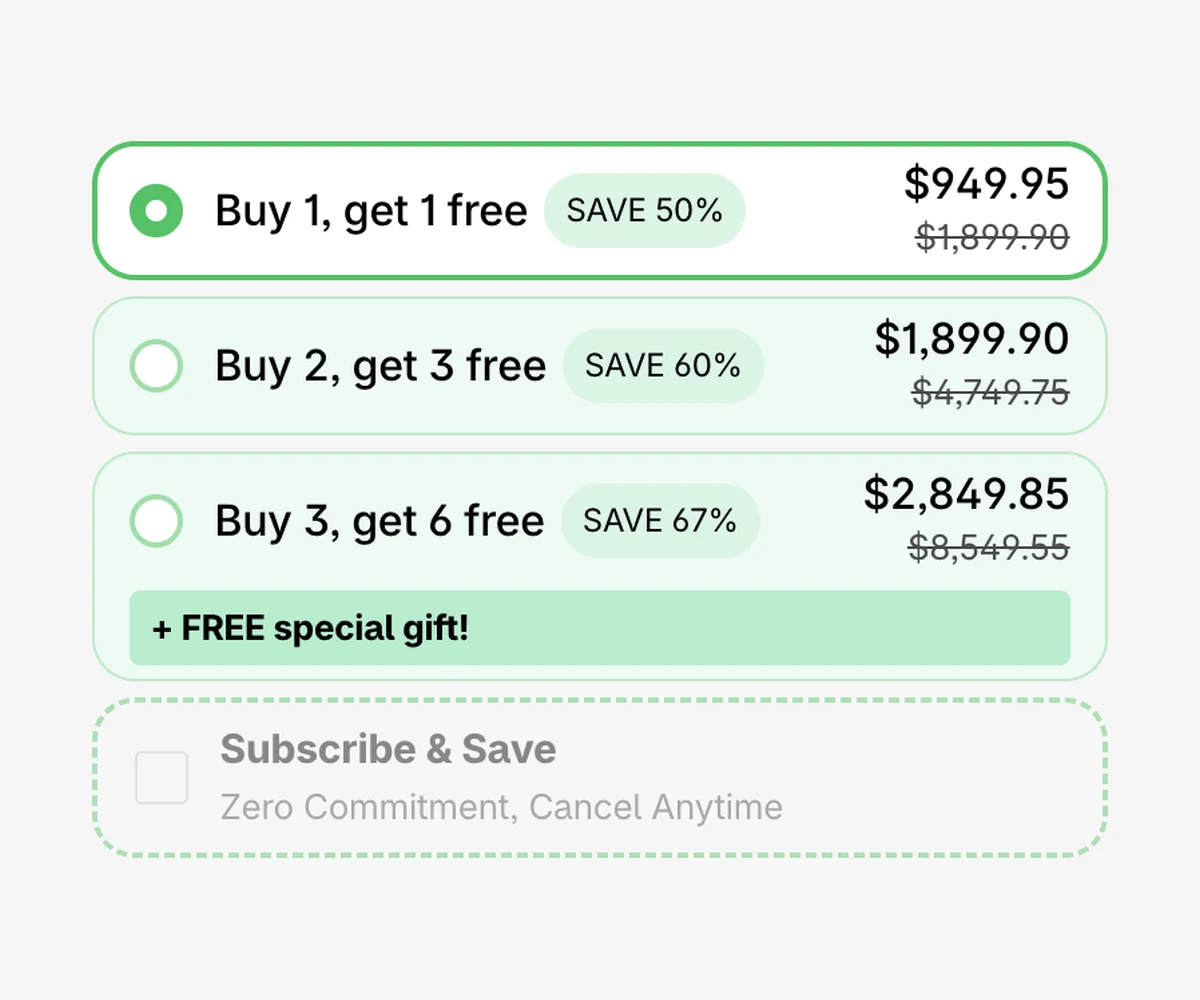
A Bundles deal can offer one time or subscribe for products that already have selling plans from your subscription app, and the deal's discount stacks on the plan's price. Bundles has no subscriptions of its own.

Checkout upsells can offer a product's subscription plans too.

Sell a deal as a subscription
Buy X, get Y bars in green with a Subscribe and Save choice below them, zero commitment, cancel anytime

TreStack Timer

Shopify EmailKlaviyo

Shopify Email, Klaviyo and other email tools

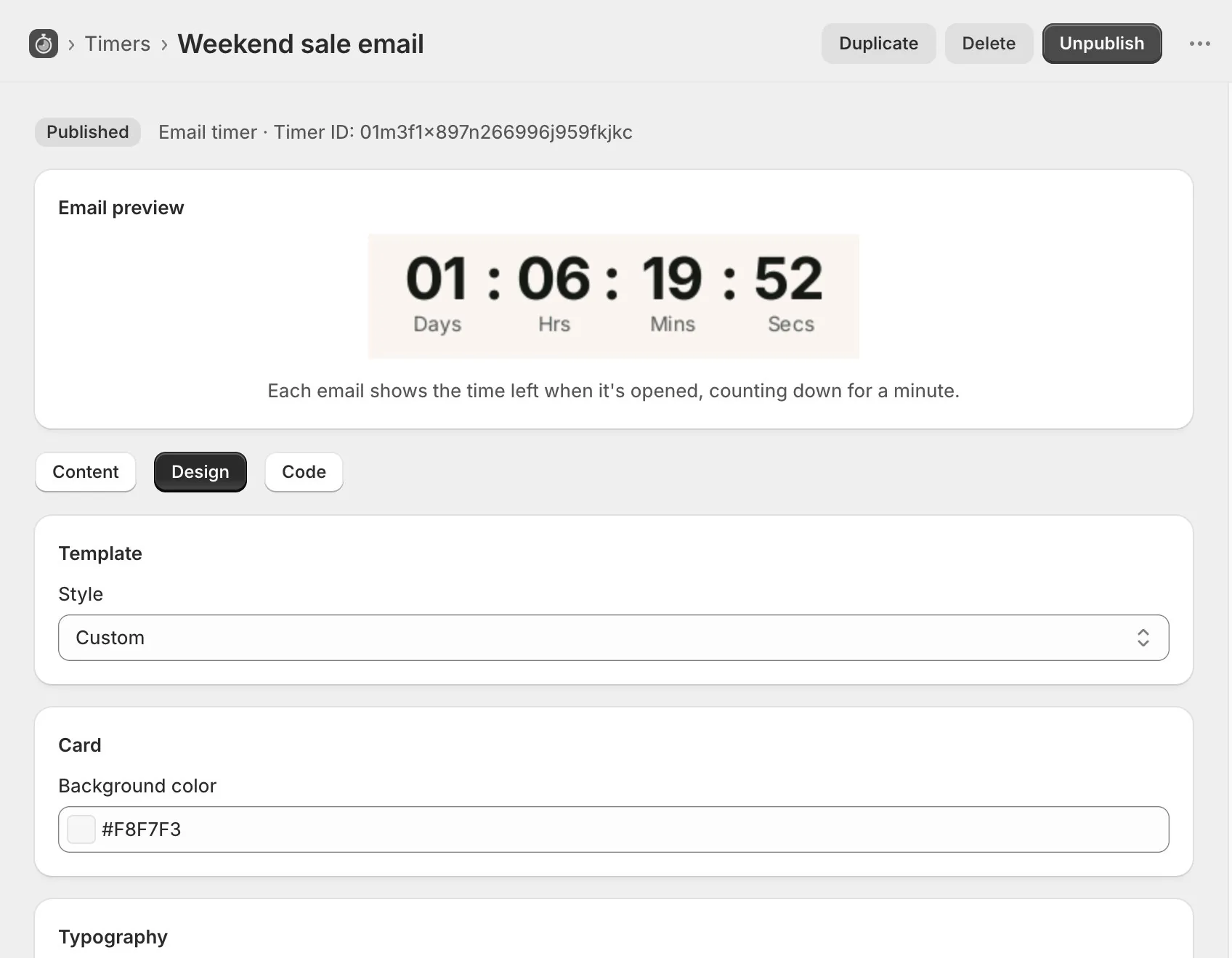
Once an email timer is published, the app gives you an image snippet to paste into Shopify Email, Klaviyo, or any tool that takes HTML. Each open plays a minute of countdown once, and opening the email again shows the time left then.

Deleting an email timer breaks the image in emails already sent, and the app warns you before it does.

Add a countdown to an email
The TreStack Timer editor in grayscale, on the Design tab of an email timer, with a preview of the countdown image

Questions about integrations

Missing a tool? Write to us with its name and what you want it to do.

Do I have to connect an account or enter an API key?

No. The apps read what Shopify already holds: the selling plans on your products, the ratings your reviews app saves to Shopify, your markets and your B2B customers. An email timer is an image snippet you paste.

Does Bundles work with my cart drawer or page builder?

Bundles adds to the cart through your theme's own add to cart request, so the theme's cart drawer keeps refreshing. It also opens the drawers of three cart drawer apps and knows the buttons of two page builders. Not all of them have been checked on a live store yet, so write to us to ask about yours.

Can Checkout show ratings from another reviews app?

Today it reads Judge.me and Okendo. If your store uses another reviews app, write to us with its name.

What happens to the integrations when I uninstall?

Timer's and Bundles' app embeds and blocks go with the app, because neither writes into your theme files. Checkout's blocks, rules and offers stop at once. Nothing changes in your reviews, subscription or email apps.