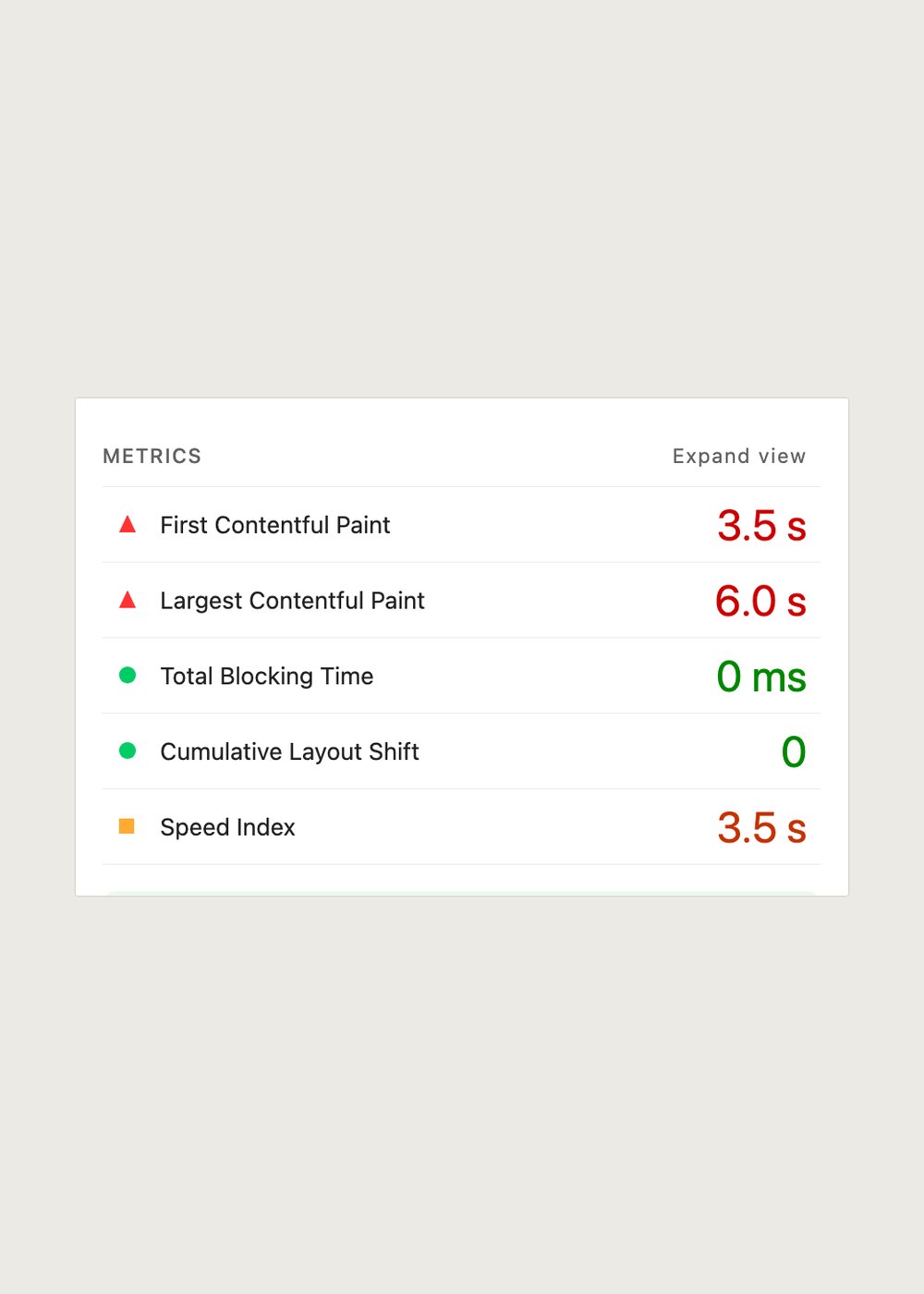
LCP measures one element, not the whole page
Largest Contentful Paint records the moment the biggest image or text block inside the first viewport finishes rendering. On a product page that is almost always the featured image. On a collection page it is usually the first product card. On a policy page it can be a single heading. Anything below the fold is invisible to the metric, which is why two stores with the same list of apps can post very different numbers.
Google treats 2.5 seconds as the good threshold, measured at the 75th percentile of real visits. Lighthouse in Chrome gives you a lab figure from one throttled load on your own machine, so read it as a way to compare two versions of the same page rather than as the score you are held to. The field number lives in the Web Performance report in your Shopify admin.
The three ways an app block can move the number
A theme app extension loads through the app block you placed in the theme editor, and Shopify serves its assets from the same CDN as your theme. That is structurally better than the old script tag route, because nothing is written into your theme files and the request goes away when the app goes away. It is still a request, and requests have costs.
First, a block can add a stylesheet to the head that blocks rendering until it arrives, which delays every paint including the one being measured. Second, it can inject markup above the LCP element and push that element down the page, so the browser has more work to do before the largest thing lands. Third, it can reserve no height, then resize when its font or image arrives, at which point a different element becomes the largest one and the useful comparison is gone.
A block that sits below the add to cart button, or in the footer, normally cannot touch LCP at all. It can still cost you Total Blocking Time or Cumulative Layout Shift. Those are worth chasing, but they are a different number and a different investigation.
Measure the difference, not the absolute
Run to run variance in Lighthouse is frequently larger than the effect you are hunting, so a single before and after pair proves very little. Take three runs of each state and compare the medians. Use the same page, the same throttling preset, a browser profile with extensions off, and a machine that is not doing anything else at the time.
Do the work on a duplicate theme rather than the live one. In Online Store, Themes, use the three dot menu to duplicate, then open the copy in the theme editor and use the eye icon to hide the app block instead of deleting it. Hiding is reversible in one click and it leaves the rest of the template untouched.
One trap is worth knowing before you start: a theme preview URL carries the Shopify preview bar, which loads a script of its own. Compare preview against preview, never preview against the live storefront, or you will hand the bar a bill that belongs to nobody.
What to do with the answer
If hiding a block moves your median LCP by less than about 100 milliseconds, you have found nothing, and your hero image, your theme fonts, and your slider are all better suspects than any app. If it moves by more, ask the vendor which asset is responsible and whether it can be deferred, loaded on interaction, or given a reserved height. A vendor who publishes the size of its storefront script can usually answer that in one message.
Added in September 2026: we ran this test on our own app, TreStack Timer. The page was a product page on the Horizon theme from Shopify, with a top bar and a product timer carrying a background image and a web font, measured with Lighthouse mobile as the median of five runs with the app and five without. The performance score showed no measurable drop, layout shift stayed the same, and the product image stayed the largest paint. That is one measurement on one theme, not a promise about yours.
So this guide does not tell you which countdown timer app is fastest. It tells you how to produce that number yourself, on your theme, with your images and your traffic, which is the only version of the answer that applies to your store.