Build the list before you judge anything
Open Settings, then Apps and sales channels. That page lists what is installed, and a second tab lists apps that once had access and were removed. Copy the installed list into a sheet with four columns: what it does, what it costs a month, when you last opened it, and what breaks if it is gone. For ten apps this takes about twenty minutes and it is the only part you cannot skip.
Fill the cost column from Settings, Billing rather than from memory. App subscriptions are collected by Shopify and appear on your Shopify invoice, and the number there is often not the number you remember agreeing to, because usage charges and pricing tiers move with your order volume.
Four questions per app
Does it still do a job that somebody in this business asks for? An app installed for a campaign that ended in November is not doing a job, it is doing a habit.
Does it overlap with something else on the list, or with something your theme or Shopify now does natively? Online Store 2.0 themes ship features that used to need an app, and Shopify has absorbed others. Shopify Forms, Shopify Email, Shopify Flow, and Shopify Inbox are first party and free at the level most stores need, and naming them costs us nothing because we do not compete with any of them.
Does it render on the storefront? Those are the ones that can cost you speed, and they are worth measuring rather than arguing about. The performance guide on this hub covers how.
Would removing it lose data you cannot get back? Reviews, subscriptions, and loyalty balances live inside the app more often than inside Shopify. Export first, ask the vendor second, uninstall third, in that order and never the reverse.
Find the residue
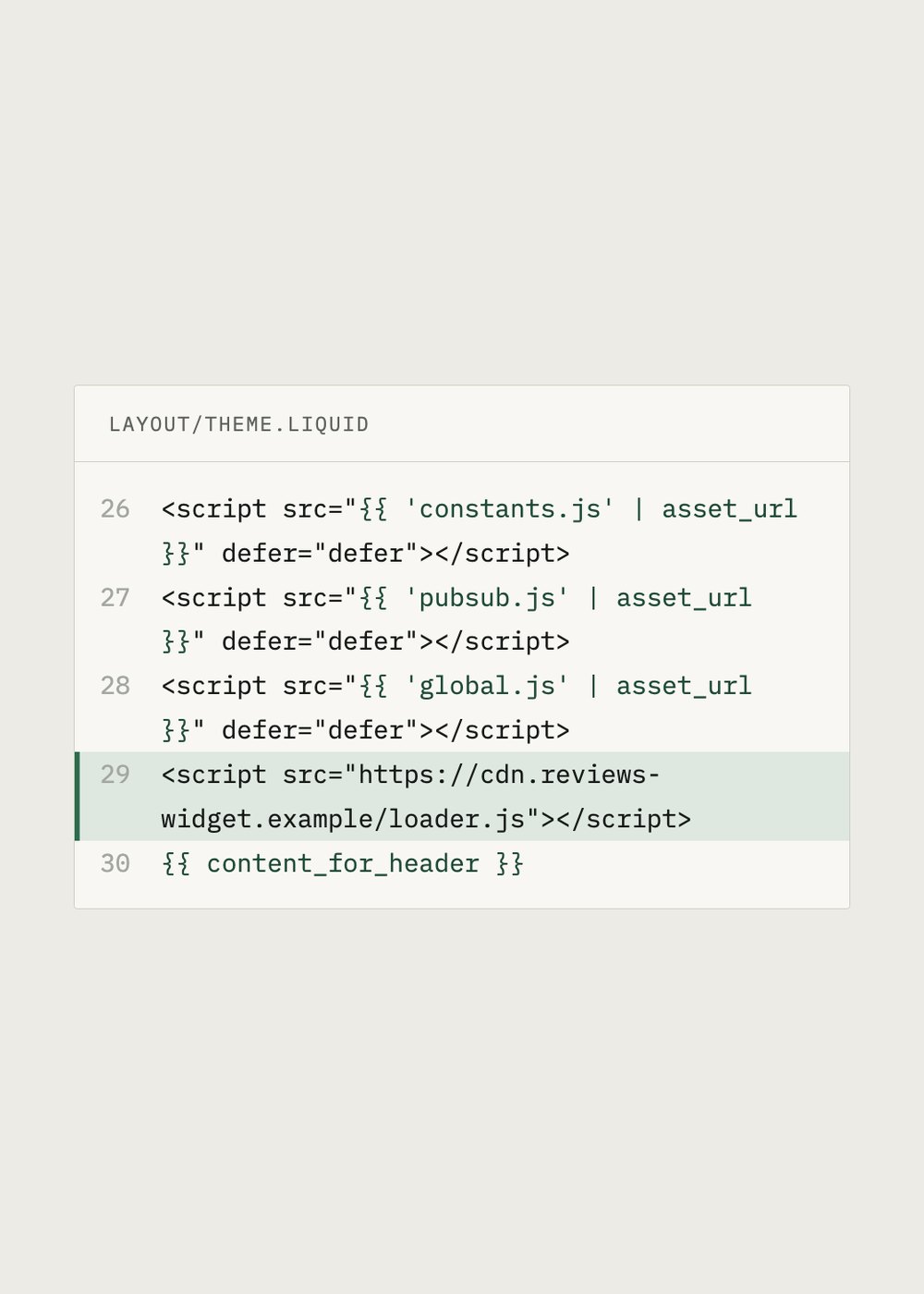
Uninstalling removes the app and ends the charge. It does not remove code that somebody once pasted into your theme. Go to Online Store, Themes, Edit code, and search for the vendor name and for the word app. You are looking for a render or include tag pointing at a snippet, or a script tag in theme.liquid with an external domain in it.
Leave anything you do not recognise where it is and take a screenshot instead. A snippet reference pointing at a file that no longer exists produces a visible Liquid error on the storefront, which is how most merchants find out about residue in the first place. If you do intend to edit, duplicate the theme first.
Cancel deliberately
Uninstalling stops the next recurring charge but does not usually refund the current 30 day period, and an annual plan paid up front is normally not prorated. If a renewal date is close, uninstall before it rather than after it, and check the invoice a month later to confirm the line is gone.
One row on many lists is a countdown timer, and TreStack makes one. We are not going to tell you which timer app to keep, because our own would be the one we told you to keep. The four questions are the same for that row as for every other one, and they are the part that actually does the work.