First, decide which kind of bundle you mean
Merchants use the word bundle for two different things. One is a product of its own: a gift box, a starter kit or a three pack, with its own title, photos, price and page, listed in collections next to everything else you sell. The other is an offer on a product page that already exists: buy two and save 15 percent, add the beans to the grinder, or pick any three candles from the winter range for one price.
The first is something you merchandise, like any new product. The second is a choice the shopper makes while looking at a product they came for. Shopify's free app builds the first kind. Deal apps, TreStack Bundles among them, build the second. Write down which one you want before you install anything, because it decides the tool more than any feature list does.
A bundle as its own product, with Shopify Bundles
Shopify Bundles is free, made by Shopify, and available on every Shopify plan. It builds fixed bundles, a set of different products sold together, and multipacks, several of one product sold as one item. Each bundle becomes a product with its own SKU.
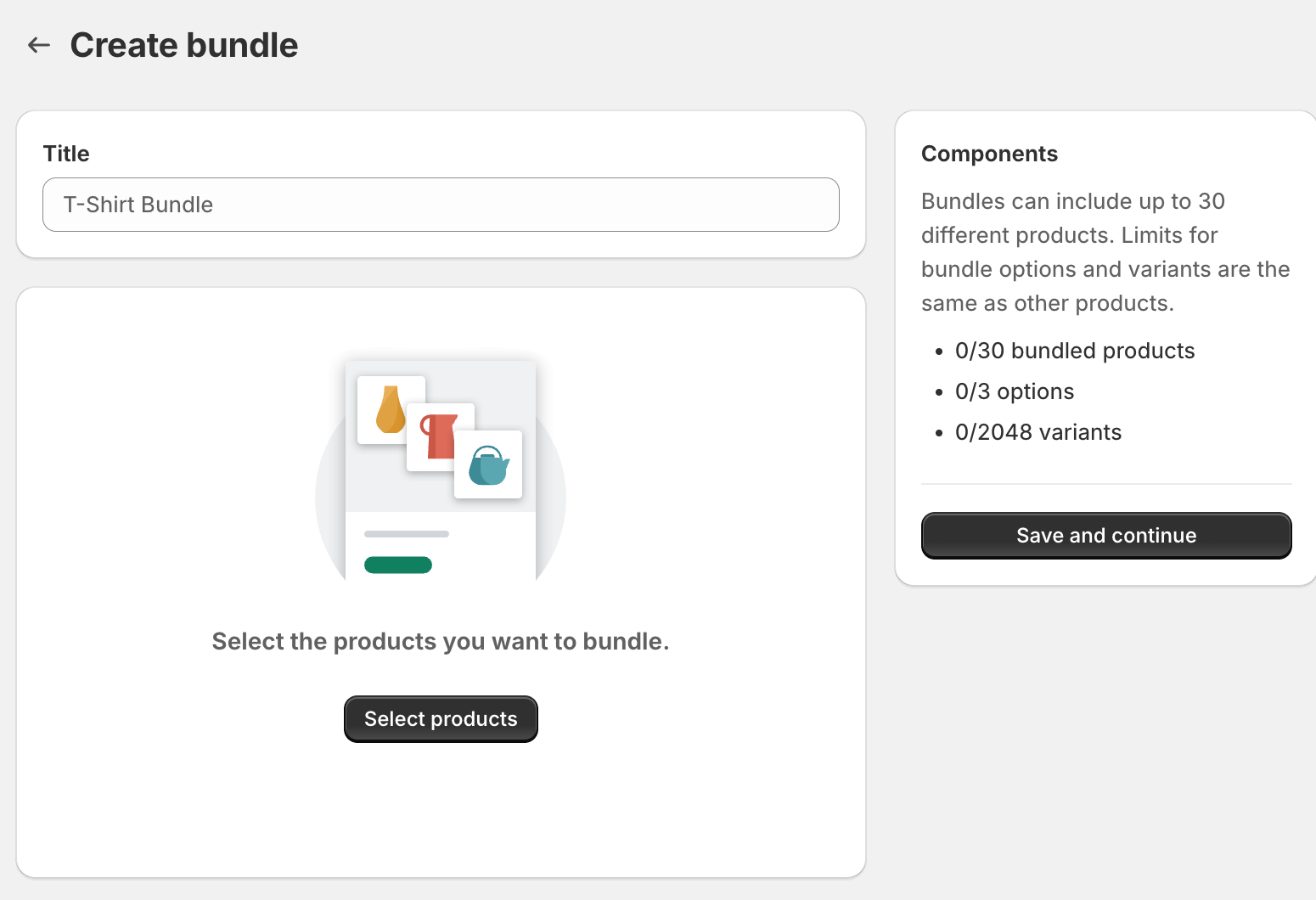
The steps, from Shopify's help center. Create the products that go into the bundle first. Install Shopify Bundles, then in your Shopify admin go to Apps, then Bundles, and click Create bundle. Give it a title, click Select products and choose what goes in, then set each product's quantity and which of its variants are included. Click Save and continue, fill in the product details as you would for any product, and save.
For a multipack, add the one product, then use the menu next to it and choose Duplicate product. A new bundle starts as a draft, so set its status to Active when you are ready, and check which sales channels it is published to. It can sell on the Online Store, in the Shop app, on Shopify POS and on custom storefronts. Because the bundle is a product, you add it to collections and menus the way you would any other.
What to check before you build it that way
Shopify's help center lists the limits. A bundle holds up to 30 products, and its options and variants have the same limits as any other product. It cannot be sold with purchase options such as subscriptions. It needs the Online Store channel or a custom storefront, and stores that still have checkout.liquid customizations cannot use it.
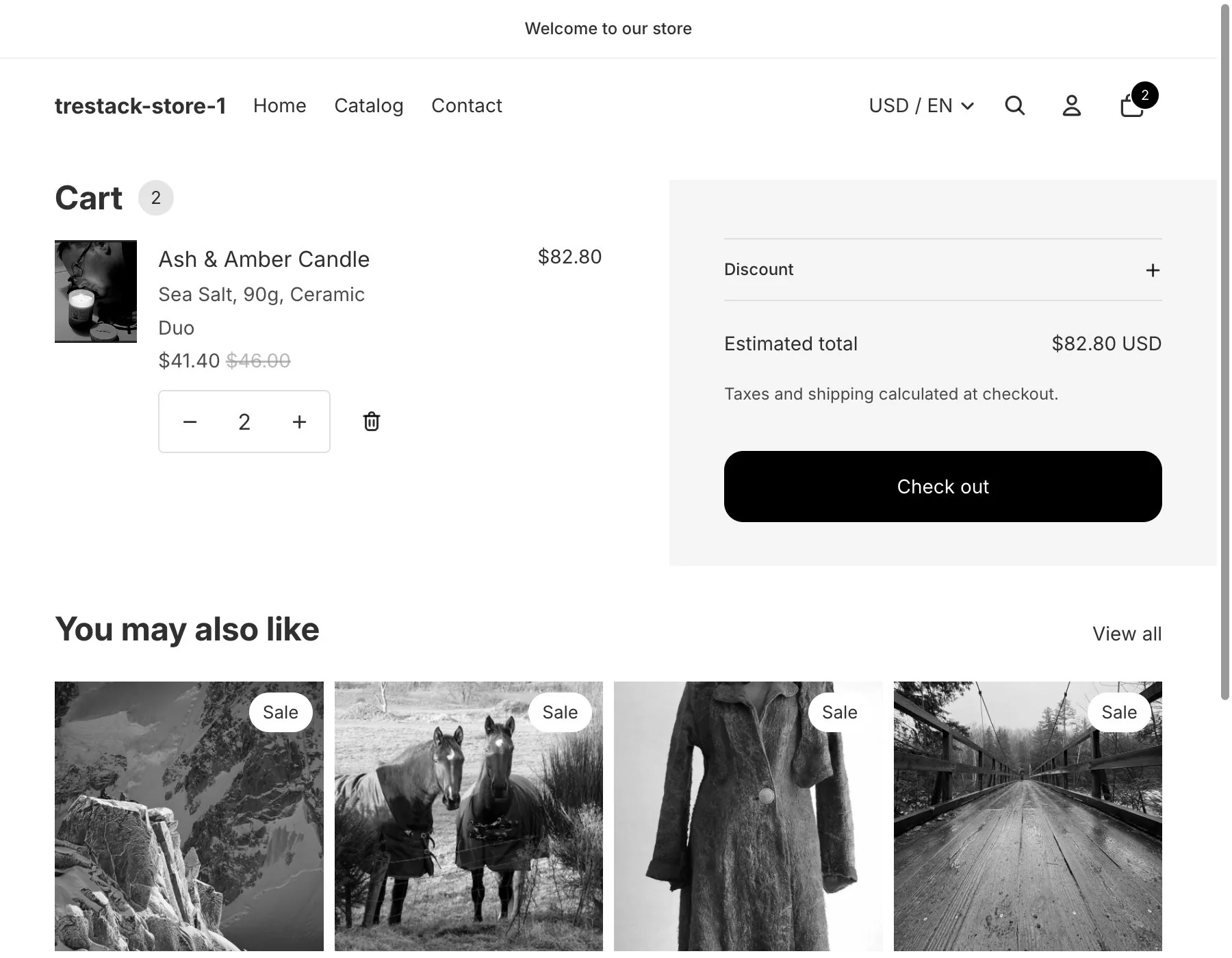
The price is one you set on the bundle. It does not follow the prices of the products inside, so a price change on a component means a check on every bundle that holds it. A discount code applies to the bundle only if the code includes the bundle product itself. Stock comes from the component with the least of it, updated as orders come in, and is not kept per location.
It does not build mix and match, where the shopper chooses what goes in the set. For that, Shopify points to bundle apps from the Shopify App Store, or, on Shopify Plus, to building one with its Bundles APIs. Shopify updates its apps, so read its help center again before you rely on any of these lines.
An offer on the product page, with a deal app
A deal app adds the offer to product pages you already have, so the shopper meets it on the page they came to. Look for one built as a theme app extension: it switches on from the theme editor as an app embed, places its widget without editing theme files, and leaves with the app when you uninstall it.
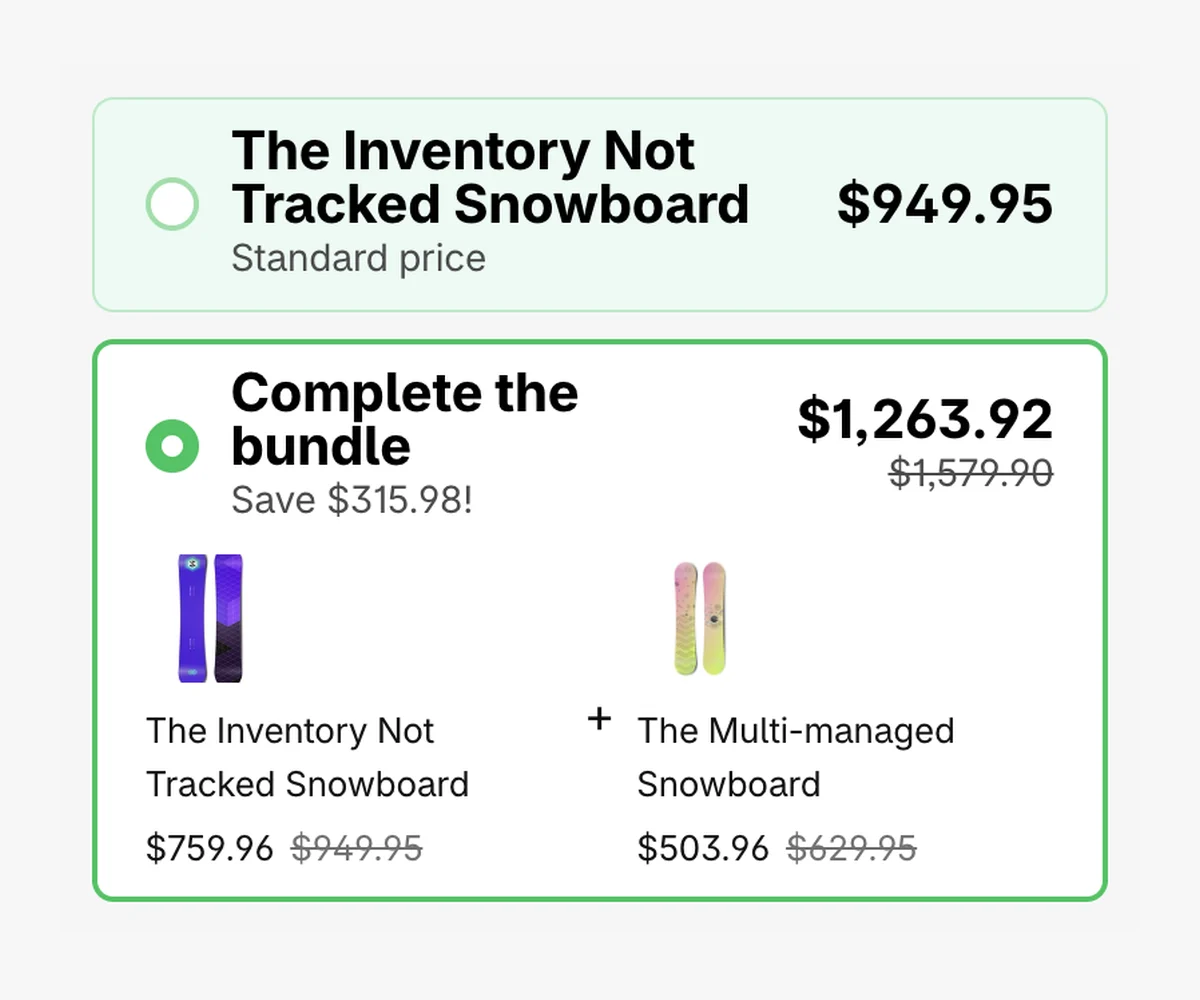
With TreStack Bundles, which we make, the steps are these. Install it from its Shopify App Store listing and start the free trial. On the app's Home, the Activate app embed link opens the theme editor at the Bundle deals embed; turn it on and save. Then create a deal and pick one of six templates: Quantity breaks for the same product, Buy X get Y, Quantity breaks for different products, Complete the bundle, Subscription, or Progressive gifts. Choose which products it shows on, adjust the offers and their discounts, and publish.
The widget appears above the Add to cart button, usually within a minute of publishing, and a Shopify discount function prices the order at checkout. For a fixed set of different products, Complete the bundle gives each product in the set its own discount rather than one bundle price. For a set the shopper fills from a list you choose, add a Mix and Match bar. Subscription offers work with products that already have selling plans from a subscription app.
The same idea, built both ways
Take a coffee shop that wants to sell its grinder with a bag of beans. As a product of its own, it becomes a Starter kit with a title, photos and a price you set, say 79 dollars against 85 for the two apart. It gets its own page and its own place in a collection, and it shows as out of stock as soon as either the grinder or the beans run out. Shoppers find it if you link to it from the grinder page, a menu or an email.
As an offer on the page, the grinder's own product page shows a second choice under the single grinder: grinder and beans, with 10 percent off the beans. A shopper who came for the grinder sees it without going anywhere else, and the grinder and the beans keep their own prices and stock. Those prices are made up; put your own into the same comparison.
Neither is better in general. A kit you want to photograph, name and list is a product of its own. A choice you want shoppers to make on pages they already visit is an offer. Some stores need both, and we have not tested running both apps on one store, so if you do, try it on a duplicate theme first.
In the TreStack Bundles docs
New to the app? What TreStack Bundles does, or install it from the Shopify App Store.
On the same subject
Bundle, quantity break or free gift: which offer fits which product. Quantity breaks, bundles and free gifts do different jobs. How to match the offer to the product, and what each one costs you when the cart changes.