In the TreStack Timer docs
TreStack Timer, cart timer for small batch drops
People fill a cart during a drop and come back the next day to find it sold out.
Each run is a small edition that goes on sale at a set time. Shopify does not hold stock for an item sitting in a cart, so a buyer who leaves a full cart for later is often disappointed, and the studio writes the same apology after every drop.
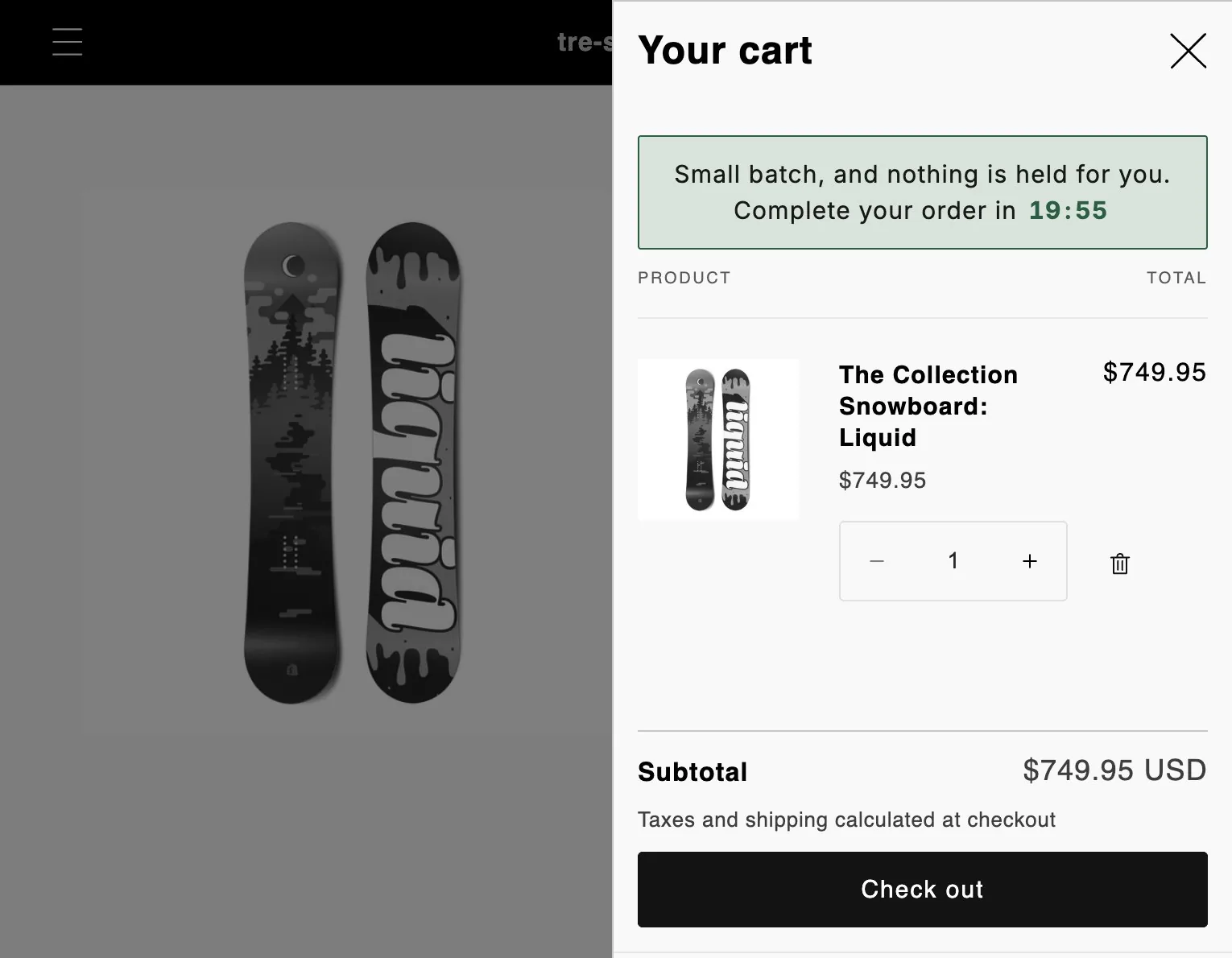
The timer this setup uses.
Timer
Cart timer
On the cart page and in the theme's cart drawer, while the cart holds your products.
Price
Free
Every feature, with no limit on timer views.
Countdown
Fixed minutes
Per visitor, from when that shopper first sees it. 15 by default.
At zero
Hide
The default, for that buyer only. The cart stays as it is.
The setup in one paragraph.
A twenty minute countdown on the cart page and in the cart drawer, shown only while the cart has items, with a title that says plainly the batch is small and nothing is held, and the ending left on hide, because the store does not actually take anything back.
What to watch
Completions in the app analytics, which show how often a cart timer ran out with the cart still full, next to how many apology emails each drop produced.
This is a planned walkthrough, not a customer story. TreStack Timer reached the Shopify App Store in October 2026, so there are no store results to show, only the setup.
Set it up in the app.
In this order, inside TreStack Timer. The live preview beside the editor shows the timer as shoppers will see it before you publish.
Create a cart timer and set the minutes
A cart timer always counts fixed minutes per visitor. Twenty suits a drop where people choose between a few prints.
Write a title that tells the truth
Put {timer} where the clock goes, keep it to one line for a narrow drawer, and say nothing is held, because Shopify does not reserve stock for a cart.
Leave the ending on hide
Deleting the cart items is only honest when stock really is held for that time. Repeat would restart a deadline that is not real.
Test with a real cart
Add an item, open the drawer, then load the cart page. Remove the item and check the timer goes.
Before you publish.
What this setup does not do, and what to know first.
Why did a shopper see the countdown start again?
The countdown lives in that browser. Another device or a private window starts its own, an emptied cart forgets it, and editing the timer starts everyone again.
What if it shows on the cart page but not in the drawer?
Your theme builds its drawer in a way the general search does not recognise. The app embed has a Cart drawer selector setting for this, or write to us with the store URL and we will find it.
What about products other stores sell through mine?
They do not count. A cart holding only those does not show the timer, and they are never removed.
Other setups