In the TreStack Timer docs
TreStack Timer, sale countdown bar for a launch week
The launch price ends on Sunday night and most visitors never find out.
A new collection goes live with an introductory price for one week. The end date is in the launch email and nowhere on the store, so a visitor arriving from a search or a social post has no way to know the price is about to change.
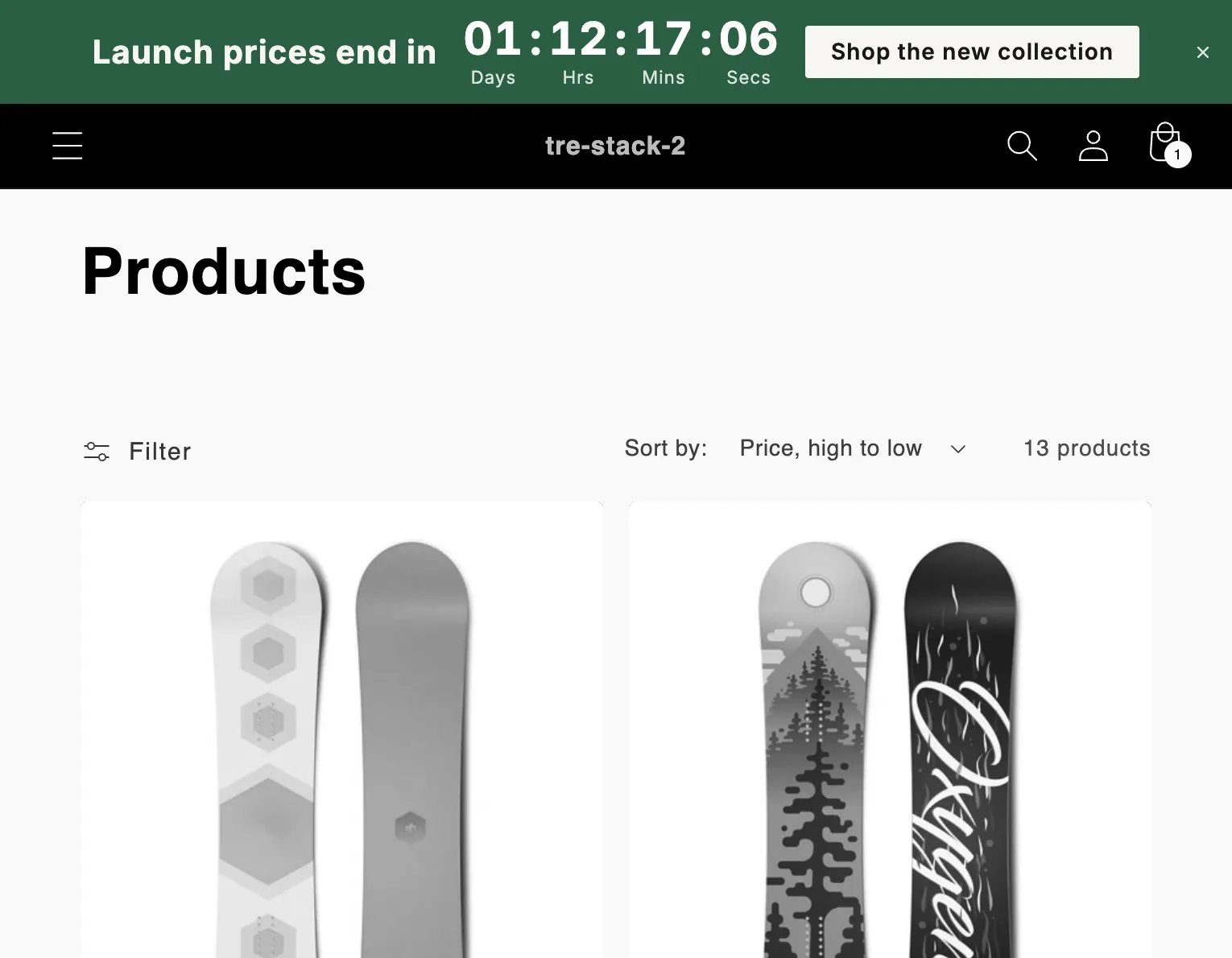
The timer this setup uses.
Timer
Top or bottom bar
A bar across the store, at the top, at the bottom, or sticky.
Price
Free
Every feature, with no limit on timer views.
Countdown
Countdown to a date
One moment, entered in your shop timezone, the same for every shopper.
At zero
Unpublish
The default: the app takes the bar down within a minute.
The setup in one paragraph.
A countdown to the moment the launch price ends, a bar across the top of every page with the cart page excluded, a button that opens the new collection, and the ending left on unpublish, so the bar comes down without anyone opening the app.
What to watch
Views, clicks, and closes for the bar in the app analytics, next to orders from the new collection in Shopify analytics for the same week.
This is a planned walkthrough, not a customer story. TreStack Timer reached the Shopify App Store in October 2026, so there are no store results to show, only the setup.
Set it up in the app.
In this order, inside TreStack Timer. The live preview beside the editor shows the timer as shoppers will see it before you publish.
Create a bar and set the end
Content tab: countdown to a date, at the moment the launch price ends, in your shop timezone.
Add the button
A bar can carry a button or be clickable as a whole. It links to your home page until you point it at the collection.
Choose where it runs
Placement tab: every page, then exclude the cart page. Exclusions also work by URL text, or by a keyword that is a whole part of the path.
Position, close button, publish
Top or bottom, sticky at the top if it should follow the scroll, and an optional close button. A shopper who closes it does not see it again in that browser.
Before you publish.
What this setup does not do, and what to know first.
Does the bar end the launch price?
No. The timer never changes a price. End the discount itself in Shopify at the same moment, so the clock and the price agree.
Can a busy launch week run out of views?
No. There is no limit on timer views. A bar on every page counts once per visitor per browser session, and those counts are used only for the analytics.
Can two bars run at once?
One bar shows per page. Where two match, the more specific placement wins, and the older timer wins a tie.
Other setups
Four more ways to use it
- Orders placed before two ship today, and nobody knows it is two.
- People fill a cart during a drop and come back the next day to find it sold out.
- The email says the sale ends Sunday, and people open it on Monday.
- The winter edit is reduced until the end of the month, and the collection page does not say so.