In the TreStack Timer docs
TreStack Timer, shipping cutoff countdown on product pages
Orders placed before two ship today, and nobody knows it is two.
Beans are roasted and packed each morning and the courier collects at a fixed time on weekdays. The cutoff is written in the shipping policy, three clicks from the product page, so a buyer at half past one has no reason to finish the order now rather than tonight.
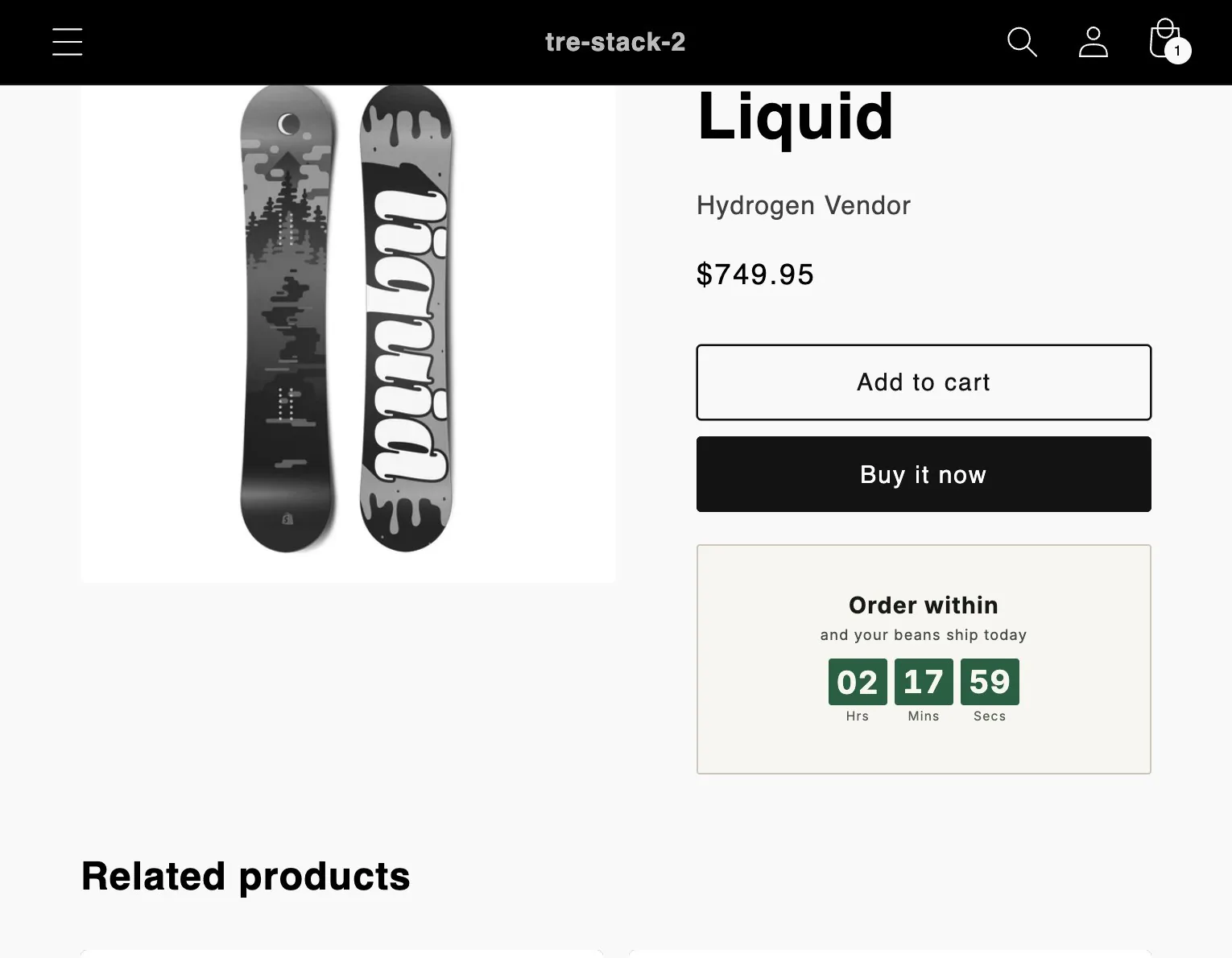
The timer this setup uses.
Timer
Product page timer
Below the Add to cart button, or anywhere through an app block.
Price
Free
Every feature, with no limit on timer views.
Countdown
Recurring window
A daily window on the weekdays you choose, in your shop timezone.
At zero
A custom title
Naming the next dispatch, instead of a clock at zero.
The setup in one paragraph.
A recurring window on the weekdays the courier comes, ending at the cutoff in the shop timezone, below the Add to cart button on every product that ships, and a custom title outside the window that names the next dispatch.
What to watch
Orders placed in the hour before the cutoff, compared with the same hour in the two weeks before the timer went up, and whether the when will it ship emails slow down.
This is a planned walkthrough, not a customer story. TreStack Timer reached the Shopify App Store in October 2026, so there are no store results to show, only the setup.
Set it up in the app.
In this order, inside TreStack Timer. The live preview beside the editor shows the timer as shoppers will see it before you publish.
Check the shop timezone
The window runs in the timezone in your Shopify settings, not in your browser. Daylight saving is the usual reason a deadline is an hour out.
Create a product page timer with a recurring window
Content tab: recurring, the weekdays the courier collects, the window ending at your cutoff. A window may cross midnight and belongs to the day it starts on.
Write the text and the ending
Text that says what the deadline means, such as Order within, and your beans ship today. Once the window ends, a custom title naming the next dispatch.
Place it on what ships
Placement tab: all products, excluding what the courier does not take, such as gift cards. Then a preset on the Design tab, and Publish.
Before you publish.
What this setup does not do, and what to know first.
Does it know about public holidays?
No. The window follows the weekdays you choose. On a day the courier does not come, change the weekdays for that week or unpublish the timer until the next dispatch day.
What if another timer is on the same product?
One product timer shows per product page. Tags beat chosen products, which beat collections, which beat all products, and the older timer wins a tie.
How are views counted?
A view is one timer seen by one visitor in a browser session. Views show in the timer analytics, and there is no limit on them.
Other setups
Four more ways to use it
- The launch price ends on Sunday night and most visitors never find out.
- People fill a cart during a drop and come back the next day to find it sold out.
- The email says the sale ends Sunday, and people open it on Monday.
- The winter edit is reduced until the end of the month, and the collection page does not say so.