In the TreStack Timer docs
TreStack Timer, collection sale countdown
The winter edit is reduced until the end of the month, and the collection page does not say so.
A seasonal collection carries a discount for a few weeks. Shoppers browsing it see the lower prices, but nothing on the page says when they go back up, so the reason to decide now is missing exactly where people are choosing.
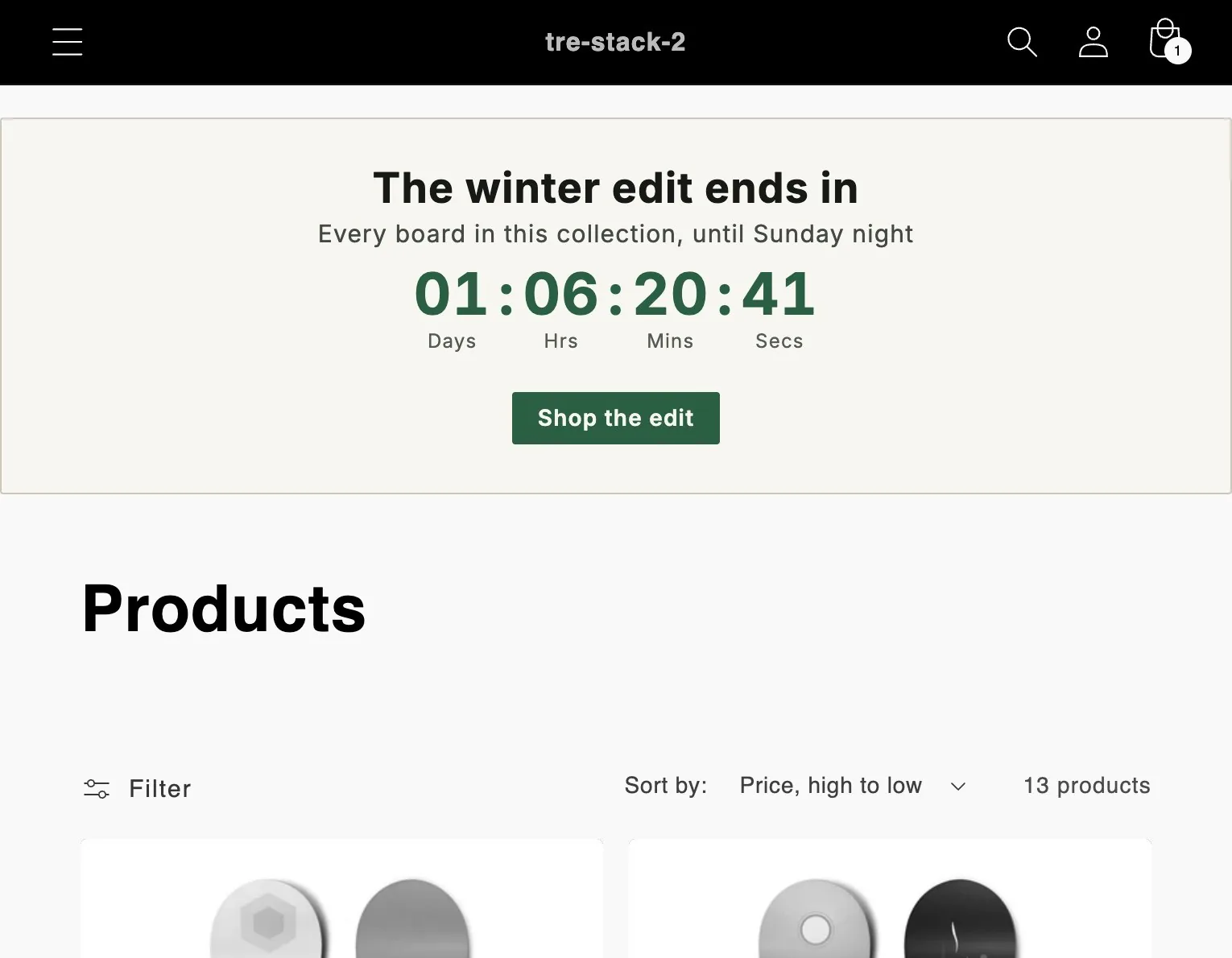
The timer this setup uses.
Timer
Landing page timer
At the top of collection pages, or on the password page.
Price
Free
Every feature, with no limit on timer views.
Countdown
Countdown to a date
One moment, entered in your shop timezone, the same for every shopper.
At zero
Unpublish
The default: the app takes the timer down within a minute.
The setup in one paragraph.
A countdown to the date the discount ends, at the top of all collection pages, a button that opens the edit, and the ending left on unpublish. The discount gets the same end date in Shopify, because the timer does not change prices.
What to watch
Clicks on the button in the app analytics, next to orders from the edit in Shopify analytics, for the sale weeks against the weeks before.
This is a planned walkthrough, not a customer story. TreStack Timer reached the Shopify App Store in October 2026, so there are no store results to show, only the setup.
Set it up in the app.
In this order, inside TreStack Timer. The live preview beside the editor shows the timer as shoppers will see it before you publish.
Create a landing page timer
Landing timers sit at the top of collection pages, or on the password page.
Choose the placement first
Placement tab: all collection pages, or only the edit. Changing the placement later clears the lists under it.
Set the end and the button
Countdown to the moment the edit goes back to full price, and a button, or the whole timer clickable, that opens the edit.
Design and publish
A preset on the Design tab, adjusted in the live preview, which runs the same code as the storefront. Then Publish.
Before you publish.
What this setup does not do, and what to know first.
Does the timer end the discount?
No. The timer never changes a price. Give the discount its own end date in Shopify, at the same moment, so the clock and the prices agree.
What if two landing timers match one collection?
One landing timer shows per page. A timer on chosen collections beats an all collections timer on the same page.
Can it count down to a store opening instead?
Yes, placed on the password page. It does not open the store by itself: remove the password in Shopify when the time comes.
Other setups