In the TreStack Timer docs
TreStack Timer, countdown timer in a sale email
The email says the sale ends Sunday, and people open it on Monday.
The sale goes out as one campaign on Friday morning. An email is read hours or days after it is sent, so a line saying ends Sunday is only as good as the day it is opened, and late readers click through to full prices without knowing why.
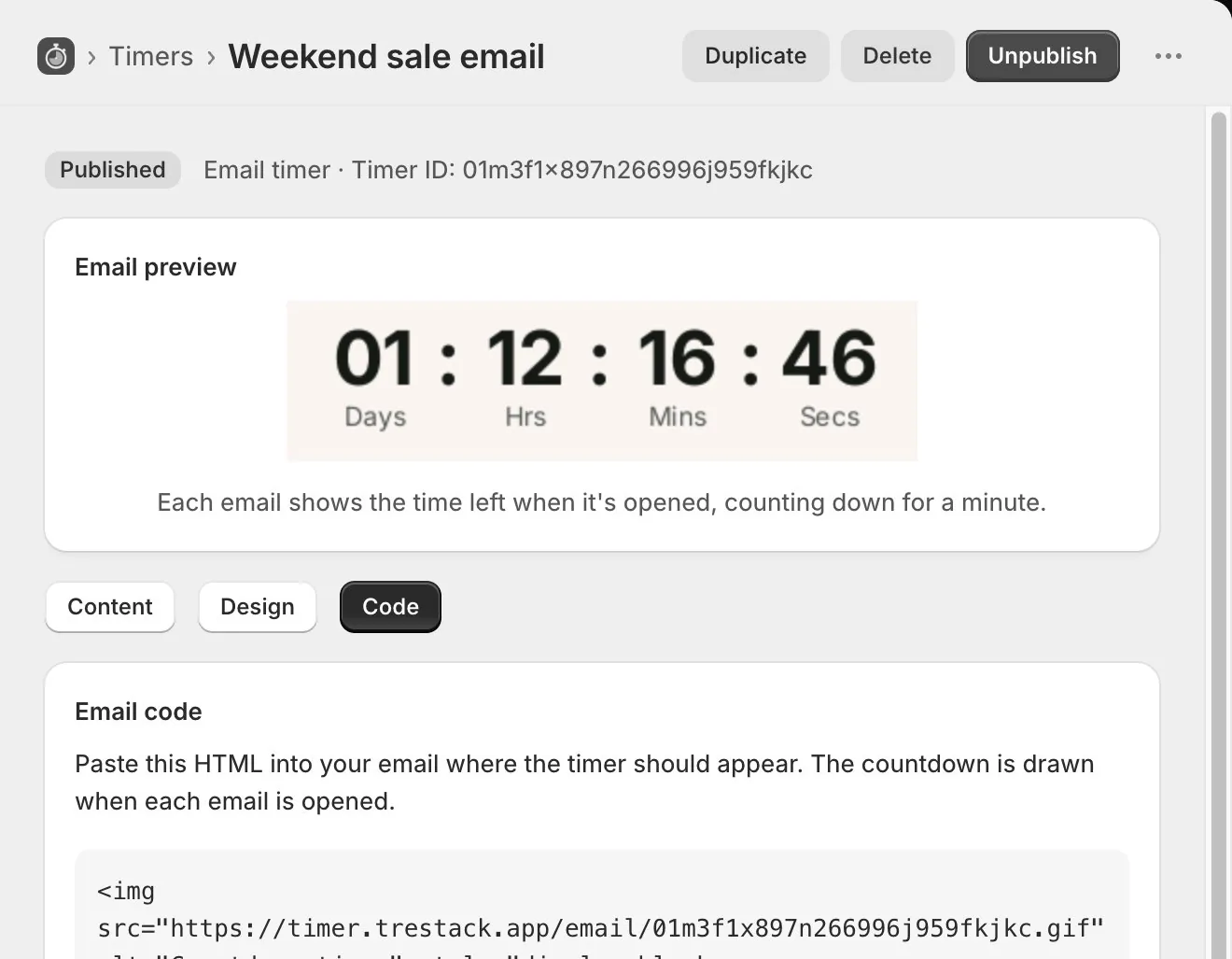
The timer this setup uses.
Timer
Email timer
An animated image in marketing emails, drawn when the email is opened.
Price
Free
Every feature, with no limit on timer views.
Countdown
Countdown to a date
Always, in your shop timezone. Each open shows the time left then.
At zero
Zeros, or a message
At the same size, so the email layout does not jump.
The setup in one paragraph.
An email timer with the same end date as the sale, its image snippet pasted into the campaign in Shopify Email or Klaviyo, and a top bar on the store counting to the same moment, so the email and the storefront agree.
What to watch
Clicks from the campaign in the email tool, and views and clicks for the matching bar in the app analytics, across the days either side of the end date.
This is a planned walkthrough, not a customer story. TreStack Timer reached the Shopify App Store in October 2026, so there are no store results to show, only the setup.
Set it up in the app.
In this order, inside TreStack Timer. The live preview beside the editor shows the timer as shoppers will see it before you publish.
Create an email timer for the sale end
It always counts to a date. The preview in the editor is the real image, redrawn as you change the form.
Publish and copy the snippet
An email timer has a Code tab where other timers have Placement. Copy the HTML image snippet there.
Paste it into the campaign
A custom HTML or code block in Shopify Email, Klaviyo, or any email tool that accepts HTML.
Match the store, then test
A top bar with the same end date. Send yourself the email, open it on a phone and a computer, and again a minute later.
Before you publish.
What this setup does not do, and what to know first.
Why does the timer not tick in some inboxes?
Each open draws 60 one second frames that play once and stop. Some email apps show only the first frame, which is still the right time at the moment of opening, just not moving.
Can I delete it when the sale is over?
Unpublish it instead. Deleting an email timer breaks the image in every email already sent with it, and the app warns you before it does.
Do email opens use up timer views?
No. Email opens are not counted as views, and there is no view limit for them to use up.
Can the image tell who opened the email?
No. Its address holds only the timer ID, with no cookies and no identifier per recipient.
Other setups
Four more ways to use it
- Orders placed before two ship today, and nobody knows it is two.
- The launch price ends on Sunday night and most visitors never find out.
- People fill a cart during a drop and come back the next day to find it sold out.
- The winter edit is reduced until the end of the month, and the collection page does not say so.